

Build a Three.js browser game, from setup to shipping
Get a Three.js project running from the official manual, then pick up the iteration habits, asset routes and known snags that show up when developers build browser games.

Set up the project the manual way
The three.js manual's project structure is an index.html that loads a module script pointing at /main.js, a main.js that imports three, and a public/ folder holding textures, audio and 3D models. Files in public/ reach the host unchanged, and the manual says the naming choices are optional.[15]
Installing from npm with a build tool is the manual's recommendation for most projects, since a longer dependency list gets harder to serve from static hosting. Node.js comes first, then the three.js package in the project folder, then Vite as a dev dependency; Vite works during development and is absent from the final page.[15]
npm install --save threeThe dev server starts from a terminal in the project folder and prints a local URL such as http://localhost:5173. A blank page at that address is the expected starting point before a scene exists, and the manual mentions package.json:scripts as an alternative to running the command each time.[15]
npx viteWithout a build tool, an import map inside the head tag points the three and three/addons/ specifiers at a CDN, with the version placeholder replaced by a real release such as v0.149.0. This route still needs a local server, because double-clicking the HTML file breaks features added later for security reasons, and the manual asks for every dependency to come from the same three.js version on the same CDN, since mixed sources can duplicate code or break the app.[15]
npx serve .A production build compiles, optimizes and copies everything the app uses into dist/, and that folder is ready to host. The CDN route instead pushes source files with no build step, which leaves the import map to be kept current and ties the site to the CDN staying online.[15]
npx vite buildScene, render loop and game structure
Rendering needs a scene, a camera and a renderer. The manual's PerspectiveCamera takes a 75 degree field of view, an aspect ratio taken from the window, and near and far clipping planes at 0.1 and 1000, with objects outside that range skipped. WebGLRenderer is sized to the window and its canvas is appended to the page.[16]
A BoxGeometry, a MeshBasicMaterial and a mesh produce a first object, and moving the camera to z = 5 stops it from sitting inside a cube placed at the origin. Drawing starts once a loop calls renderer.render; the manual prefers renderer.setAnimationLoop, which redraws on each screen refresh, typically 60 times per second, and pauses when the user moves to another tab. Rotation values such as time / 2000 and time / 1000 go inside that loop, and the manual suggests calling other functions from it so the animate function does not grow to hundreds of lines.[16]
The manual's game article describes three.js as a 3D library that provides a scene graph and display features, so collisions, physics, input systems and path finding come from the project's own code. A 3D character that turns a corner over several frames shows the kind of complexity 2D games avoid.[17]
Asset loading runs through LoadingManager. The onLoad callback starts the game once every model has arrived, and onProgress passes the last URL plus the number of items loaded and the total, which the article turns into a progress bar width from 0 to 100 percent. The example models total about 6.6 meg, compressed to around 1.4 meg when the server supports compression.[17]
Skinned characters need SkeletonUtils.clone for each instance, parented to a fresh Object3D so animation does not take over position. Every clone gets an AnimationMixer, its clips become AnimationActions that are enabled one at a time, and the render loop subtracts the previous frame time and passes the delta to mixer.update.[17]
GameObject wraps a THREE.Object3D transform and a component list, with addComponent, getComponent and update methods, and the article builds its entity component system on that base.[17]
Workflows developers shared
@MengTo describes a pattern that repeats across Three.js games, shaders, p5.js and 3D UI. The move is to give the coding agent a strong reference, the live URL and the source repo, so it can study the mechanics, recreate them and leave a working place to experiment.[2]
A playable build and its code link came from a run that X user @anshuc describes as a few steps, simple and almost entirely hands-off. The post credits two main ideas, one of them an adversarial subagent based on @mattshumer_'s Claude of Duty prompt.[1]
Horses, mallets and ball physics run in a single tab in the tabletop polo match X user @niteshshar1 built with three.js and no game engine. The author says the camera feel took a lot of back and forth and the models were the simpler part.[4]
Long, detailed prompts with some reference images are how X user @ai_for_success works, with output generated directly in Three.js and nothing in Blender for that result.[5]
Asset routes: code, Blender, outside models
A 3D farm game arrived in 4 hours of work with Fable 5.2, according to X user @lucian__03, built entirely in code in a single HTML file, with no external 3D modelling tools such as Tripo and no screenshots or images shown to the model.[9]
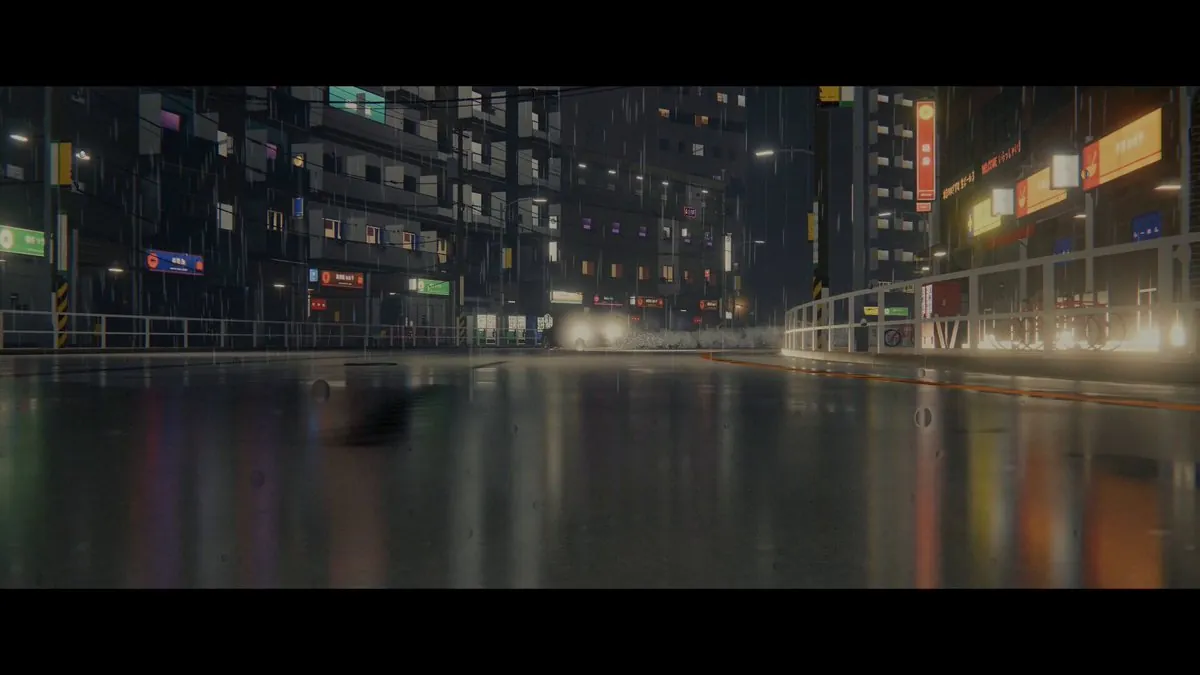
X user @Story91_ started from an empty folder and posted a drift game 72 hours later, running in the browser at 4K when the GPU can handle it. Code came from Fable 5.2, the city from Blender, and art and 3D models from Higgsfield.[12]
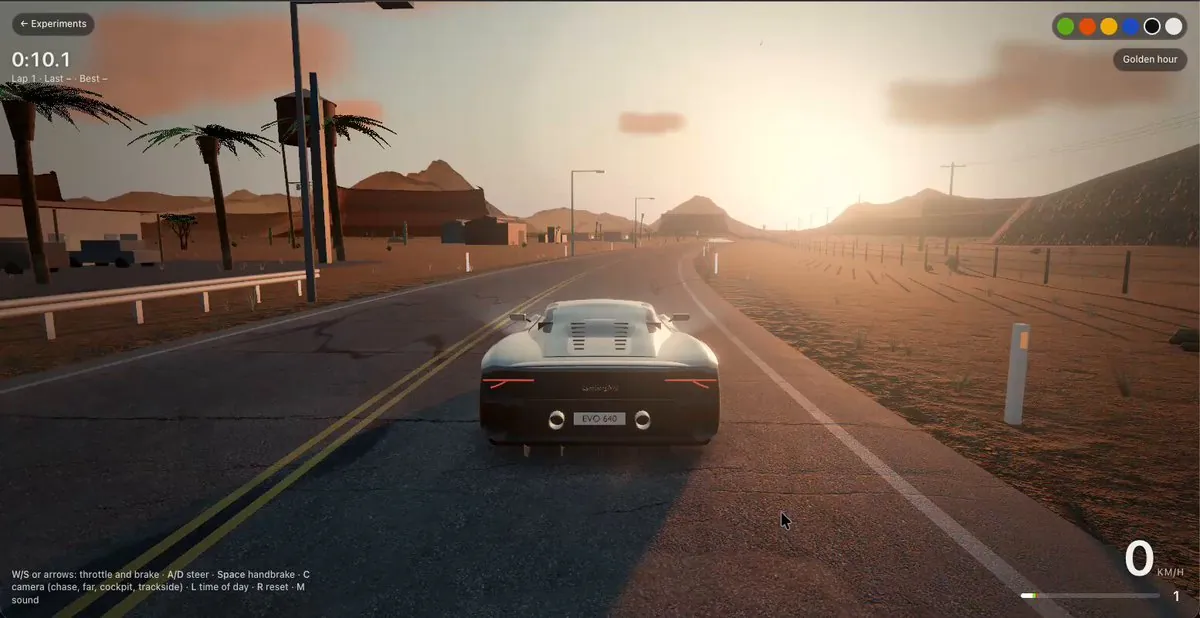
A Huracán generated in Blender sits in the desert driving game from X user @itsfazley, with a cockpit whose wheel turns, a live dash, a working mirror and day, golden hour and night lighting. It runs on three.js with no build step, and the author calls it a work in progress.[13]
A 24 hour pipeline from X user @isagi1000x starts with one video and runs through Claude Opus 5.5, Flux 3 Max, GPT Image, Tripo, Blender and Three.js.[3]
Pitfalls before you ship
X user @ewind_dev points out that many impressive browser games depend on a local machine with claude code, Blender, UE and a strong GPU, which makes hardware and environment setup expensive, and that fitting that stack into a serverless worker is hard. ThreeRT began as infrastructure to improve a coding agent's game work inside a cloud sandbox.[6]
Blender scenes from Python, Three.js racers with procedural assets and whole prototypes from a single prompt are the uses X user @Souradip3000 lists for Claude Opus 5.5, a model not marketed as a 3D tool, and the post covers where that workflow still breaks.[7]
Asked about the code behind a build, X user @Ben__Springer replied that the code was never read and that most parts of the main features were probably tweaked at various points.[8]
Two posts set expectations for iteration. @anshuc describes the process as a few steps, and @itsfazley still calls the driving game a work in progress after the cockpit, mirror and lighting work.[1, 13]
Results posted after the build
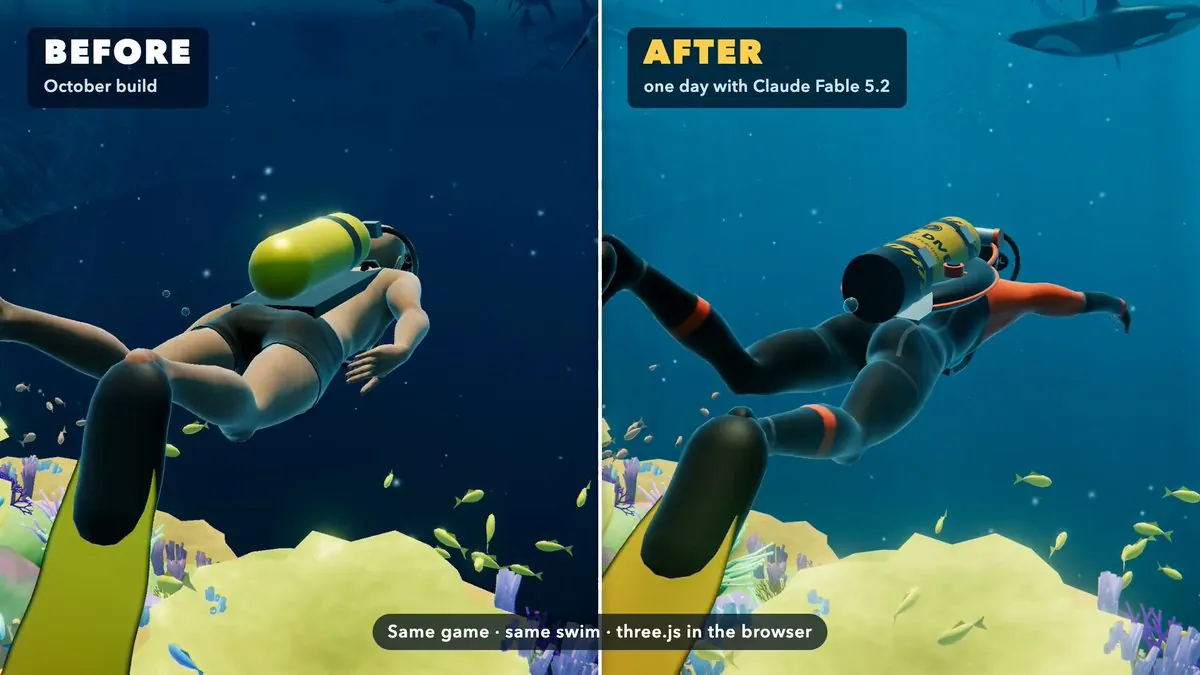
X user @boona11 posted two shots of the same three.js game, one from October and one after a day with Claude Fable 5.2. The author gave the agent a real project and the brief to make it feel like a much bigger game, and the free build runs on Wavedash.[10]
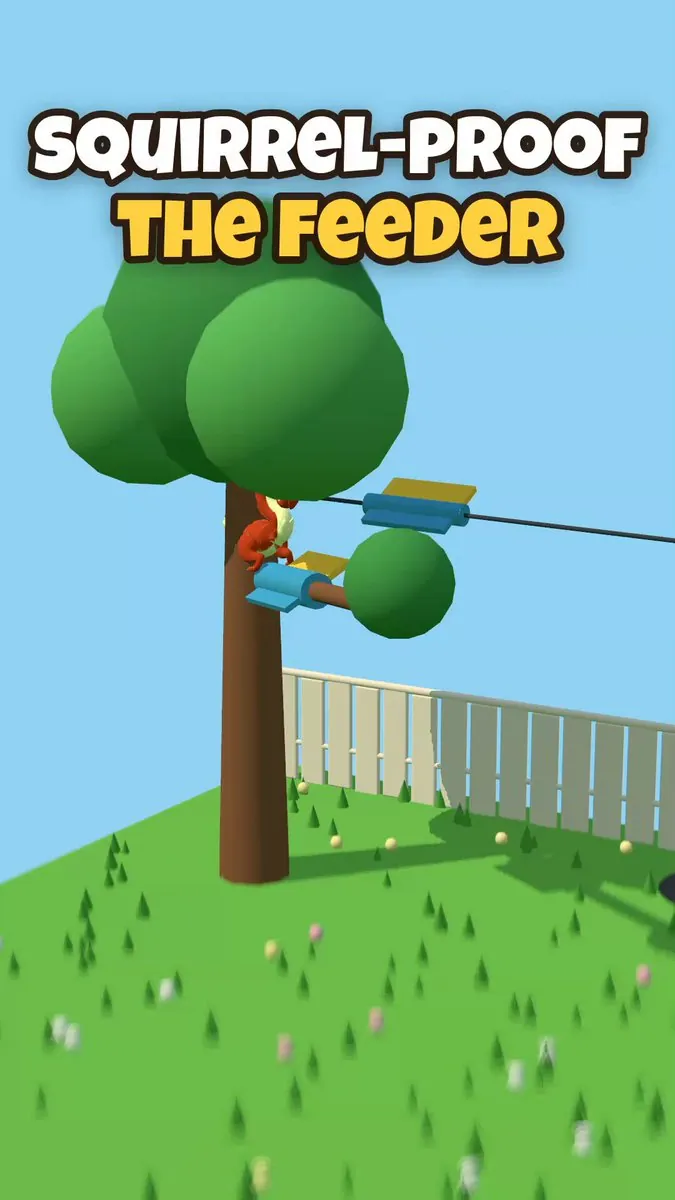
On day 27 of making a game a day, X user @comster built a squirrel-proof bird feeder with Claude Opus 5.5 in 4 prompts and three.js, no game engine, and says the squirrel is not scripted.[14]
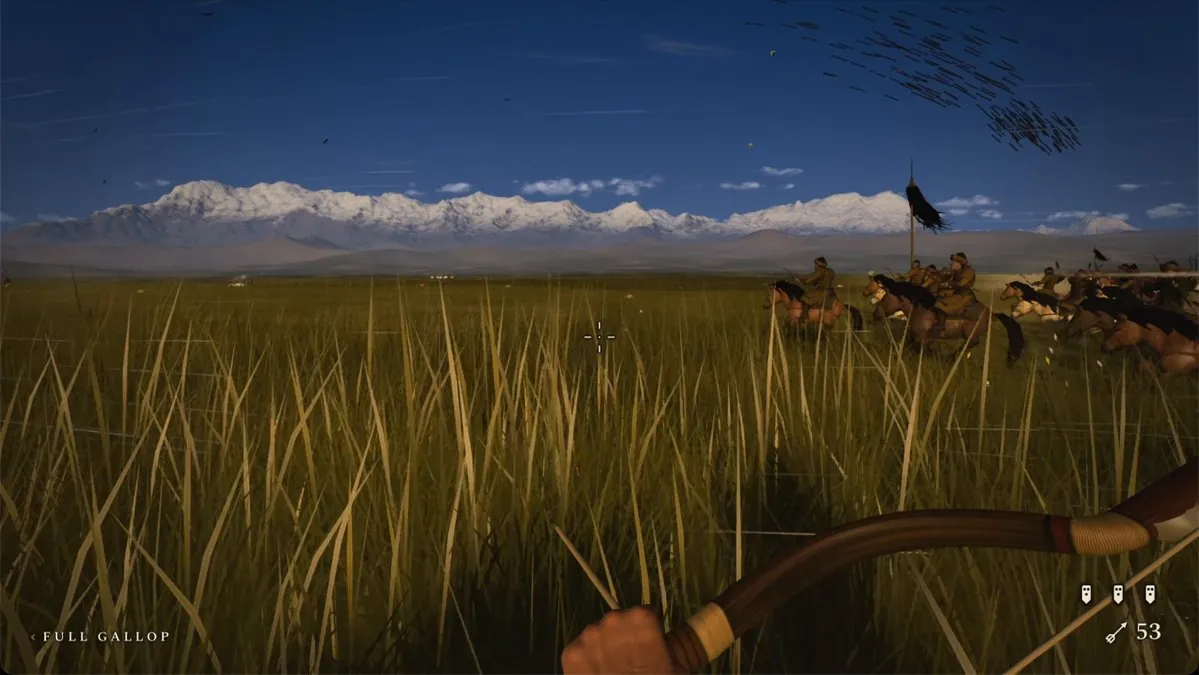
X user @MeticulAi describes a riding game across the Mongolian plains as an MVP that would once have taken an entire team months and a large budget on a custom launcher, now made solo with a Claude plan plus generation on fal and ElevenLabs.[11]
Developers' methods are paraphrased from their public posts on X and credited to each author; setup steps follow the official documentation. Indexed 2026-11-14. Interfaces may have changed since; the official documentation takes precedence.
Sources
- @anshuc · 2026-07-27Xindexed 2026-11-14
- @MengTo · 2026-07-29Xindexed 2026-11-14
- @isagi1000x · 2026-11-11Xindexed 2026-11-14
- @niteshshar1 · 2026-11-12Xindexed 2026-11-14
- @ai_for_success · 2026-09-23Xindexed 2026-11-14
- @ewind_dev · 2026-11-14Xindexed 2026-11-14
- @Souradip3000 · 2026-11-11Xindexed 2026-11-14
- @Ben__Springer · 2026-11-10Xindexed 2026-11-14
- @lucian__03 · 2026-11-10Xindexed 2026-11-14
- @boona11 · 2026-11-12Xindexed 2026-11-14
- @MeticulAi · 2026-11-14Xindexed 2026-11-14
- @Story91_ · 2026-11-12Xindexed 2026-11-14
- @itsfazley · 2026-11-13Xindexed 2026-11-14
- @comster · 2026-10-22Xindexed 2026-11-14
- threejs.org/manual/pages/installation.htmlindexed 2026-11-14
- threejs.org/manual/pages/creating-a-scene.htmlindexed 2026-11-14
- threejs.org/manual/pages/game.htmlindexed 2026-11-14